


 Download Product Ebook
 View all our solutions
 Sky-Walker Architecture
 View all our integrations
 Book Protocol workshop
 Our Company
 Contact Us
 View All Our Case Studies
 Become a PSIM Partner
 Become a Sky-Walker PSIM partner today!
 English
 Français
 Nederlands
Building Management Software for Intelligent Facility Operations
Monitor, control, and optimize all building systems from a single unified platform. Sky-Walker's BMS software integrates HVAC, lighting, energy management, security, and safety systems, enabling real-time monitoring, automated controls, and significant cost reduction.
What is building management?
Building Management Software (BMS) is a centralized platform monitoring and controls all technical and security systems within a facility. It integrates HVAC, lighting, power management, elevators, fire detection, intrusion detection, access control, and CCTV, enabling unified control and optimized operations from one interface.
Core BMS Objectives
- Reduce Operational Costs: Optimize energy, reduce manual intervention, and prevent equipment failures.
- Improve Safety & Comfort: Maintain optimal conditions and respond rapidly to safety threats.
- Enhance Decision-Making: Access real-time data and comprehensive reports.
- Enable Predictive Maintenance: Identify needs before failure, reducing downtime and costs.
- Ensure Compliance: Comprehensive logging and audit trails document operations and incidents.
- Simplify Operations: One interface replaces dozens of applications.
Why Building Management Software Matters
- Reduce Operational Costs: Reduction in energy expenses through intelligent monitoring and automated optimization.
- Unified System Control: Manage HVAC, lighting, power, elevators, fire systems, access control, and CCTV from one interface.
- Faster Problem Resolution: Automated alerts and visual maps enable technical staff to identify and resolve issues in minutes.
- Enhanced Safety & Compliance: Integrated safety systems, incident workflows, and comprehensive audit logging ensure protection and compliance.
The building management system software features
The building management system software will allow you to perform a multitude of actions thanks to its numerous functionalities. All these features will be visible via the user interface which will allow you to have a global vision on your systems.
Alarm handling
Centralized alarm handling with predefined escalation workflows and systematic resolution.
Management systems
Real-time monitoring and direct control of HVAC, lighting, energy, elevators, fire panels, and security systems.
Maintenance systems
Track operational hours, monitor health, and schedule preventive maintenance based on actual usage.
User management
Assign role-based permissions controlling what actions each staff member can perform.
Incident manager
Predefine automatic and manual response procedures triggered by critical incidents.
Reports and statistics
Interactive floor plans and system diagrams enable quick identification of equipment and issues.
Fully customizable dashboards displaying real-time data relevant to each user role.
What are the benefits of using a BMS software?
The building management software will allow you to benefit from many advantages. Indeed, in addition to the fact that you will be able to have a better comfort and well-being in your infrastructures, you will be able to benefit from direct advantages for your company.
Optimize maintenance
Equipment tracking enables predictive maintenance, preventing failures and reducing repair costs.
Incident management
Predefined workflows ensure rapid, consistent response to critical incidents.
Who is involved in the use of a BMS?
The building management software is a platform for a multitude of actions. Depending on the type of actions you wish to perform on the platform, a staff member of your company will intervene and you will be able to delegate the actions to the competent staff.
Technical staff
The technical staff will use the graphical user interface of the building management software on a daily base to solve all technical issues, handle all security and safety alarms, manage highly critical incidents and control the parameters of all technical installations.
Security and Facility managers
The building management software provides the facility manager tools to define the processes for general operation and maintenance of the building and to follow up with the technical staff via reports and dashboards.
Board members
While board members, or senior managers, often do not require knowledge about all the field activities of the building management software solution they have in place, customized dashboard and reporting will have an enormous added value to them. They can easily identify the pitfalls of their security and building infrastructure.
Building Systems Integrated by Sky-Walker BMS
Sky-Walker unifies three primary building system categories:
Comfort Systems
Optimize environmental conditions and operational efficiency.
- HVAC Systems: Monitor and control heating, ventilation, and air conditioning across multiple zones.
- Lighting Control: Occupancy-based lighting, daylight harvesting, automated scheduling, and energy optimization.
- Energy Management: Comprehensive power consumption monitoring, optimization, and cost analysis.
- Elevators & Escalators: Monitor operational status, occupancy, and maintenance requirements.
- Air Quality & Environmental: Real-time monitoring of temperature, humidity, and air quality.
Security Systems
Maintain physical security
and access control.
- Access Control: Manage door locks, electronic badges, and entry permissions across all entry points.
- CCTV & Video Management: Integrate camera systems for surveillance and incident investigation.
- Intrusion Detection: Monitor and respond to unauthorized access attempts.
- Intercom Systems: Two-way communication between security teams and occupants.
Safety Systems
Protect occupants and assets through threat detection and response.
- Fire Detection & Response: Integrated fire alarms, suppression systems, and emergency procedures.
- Emergency Controls: Automated activation of emergency lighting, alarms, and evacuation protocols.
- Public Address System: Facility-wide emergency announcements and occupant notifications.




What does our Sky Walker BMS software look like?
BMS software solutions is mainly represented on 2 screens. The first one allows users to have a specific view of the systems. The second screen allows operators to manage situations that may occur on the systems.
Our BMS software is fully customizable and you will be able to add all the features you want. You can also add other screens even if the basic configuration is composed of 2 screens.
You have 100% complete customisation such as images, colours and fonts. Moreover, all icons are customizable thanks to a complete icon library that we provide. Below is an overview of our bms building management system and you can discover it in more detail via Building management system software demo.
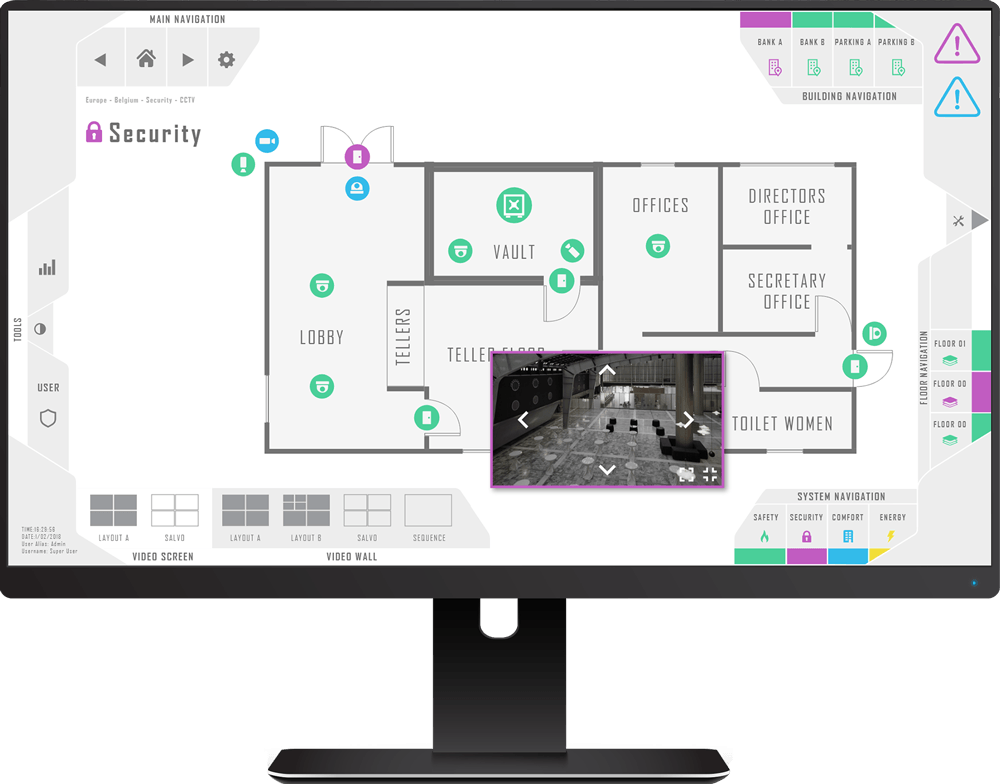


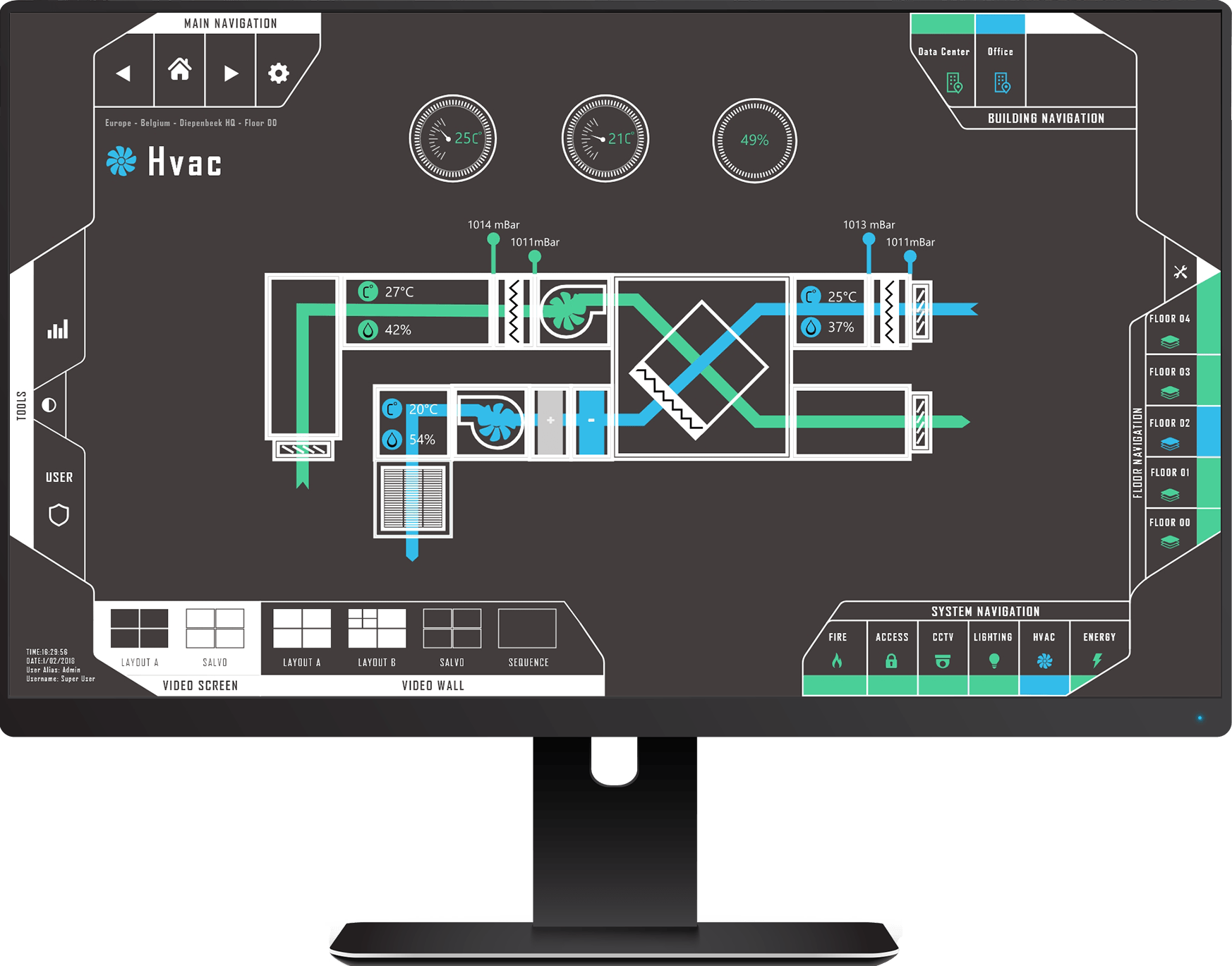


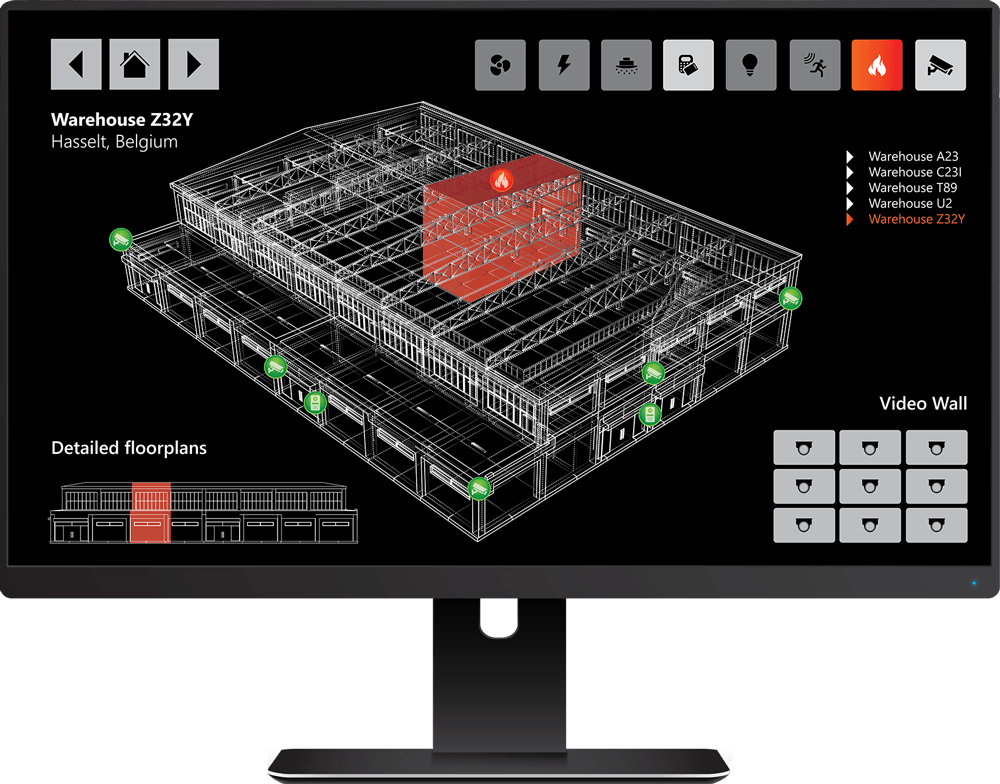
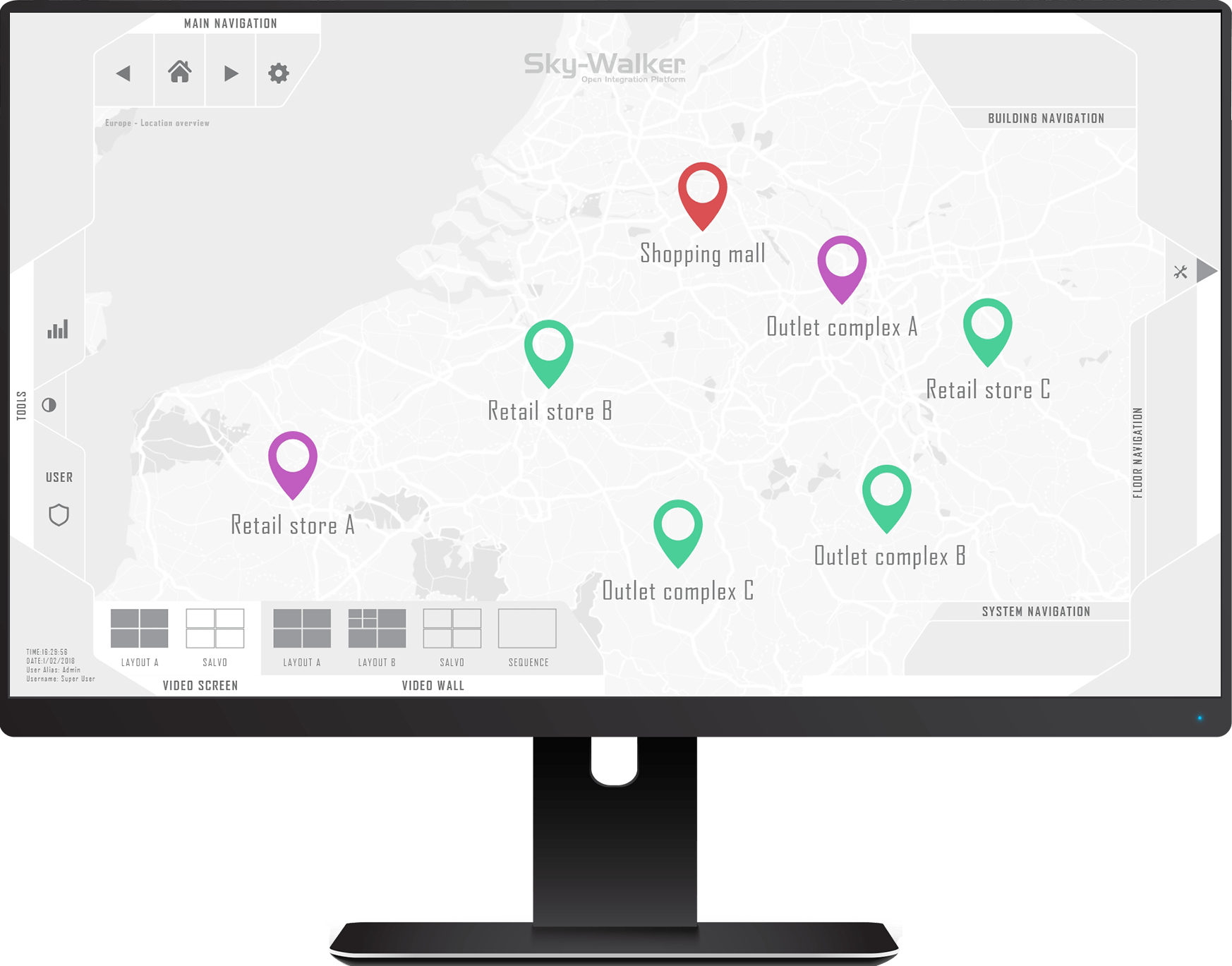
Sky-Walker Building Management Software
Related Resources
Frequently Asked Questions
What systems can BMS integrate?
Sky-Walker integrates HVAC, lighting, power, elevators, fire detection, access control, CCTV, intrusion detection, and hundreds of other systems.
Do I need to replace existing systems?
No. Sky-Walker integrates with your existing systems. You keep current equipment and add intelligent management on top.
What happens if the network goes down?
Individual systems operate autonomously. Critical safety systems function independently.
How secure is BMS software?
Sky-Walker implements encrypted communications, role-based access control, audit logging, and intrusion detection.
Can I customize the user interface?
Yes. Colors, fonts, icons, layouts, and dashboards are fully customizable.
What training is required?
Entelec provides comprehensive training. Most users master the platform quickly.